
Product Research Guide
How to Use a Hipobuy Spreadsheet With QC Photos
Learn how to review product images, inspect visible details, compare measurements, and understand the limitations of quality-control photos before following a third-party purchase link.
A Hipobuy spreadsheet with QC can help shoppers organize product listings and review available quality-control photos before deciding whether to proceed with a purchase. The most useful approach is to compare the listing description, visible product details, sizing information, seller information, and current purchasing conditions instead of relying on one image or an advertised price.
Hipobuy Spreadsheet is an independent product discovery and shopping navigation resource, not the official Hipobuy website. It helps readers explore product categories and research listings, while purchases and related services are handled by independent third-party platforms.
TL;DR: What Should You Check?
- Compare QC photos with the original listing and its product description.
- Review visible stitching, shape, materials, colors, labels, and other relevant details without assuming the images prove authenticity.
- Check size charts and actual measurements separately from visual appearance.
- Review the current third-party listing for price, shipping, restrictions, and purchasing terms.
What Is a Hipobuy Spreadsheet With QC?
A product spreadsheet is an organized way to discover and compare items through product images, category labels, reference information, and links to external listings. When QC information is available, it gives shoppers additional visual material to examine before making a decision.
QC stands for quality control. In shopping-agent workflows, QC photos generally refer to images showing an item at a particular stage of the purchasing or fulfillment process. The number, angles, and level of detail available depend on the relevant listing or platform.
QC photos can help you identify visible differences or questions that deserve further investigation. They cannot independently establish an item’s authenticity, material composition, long-term durability, or overall quality.
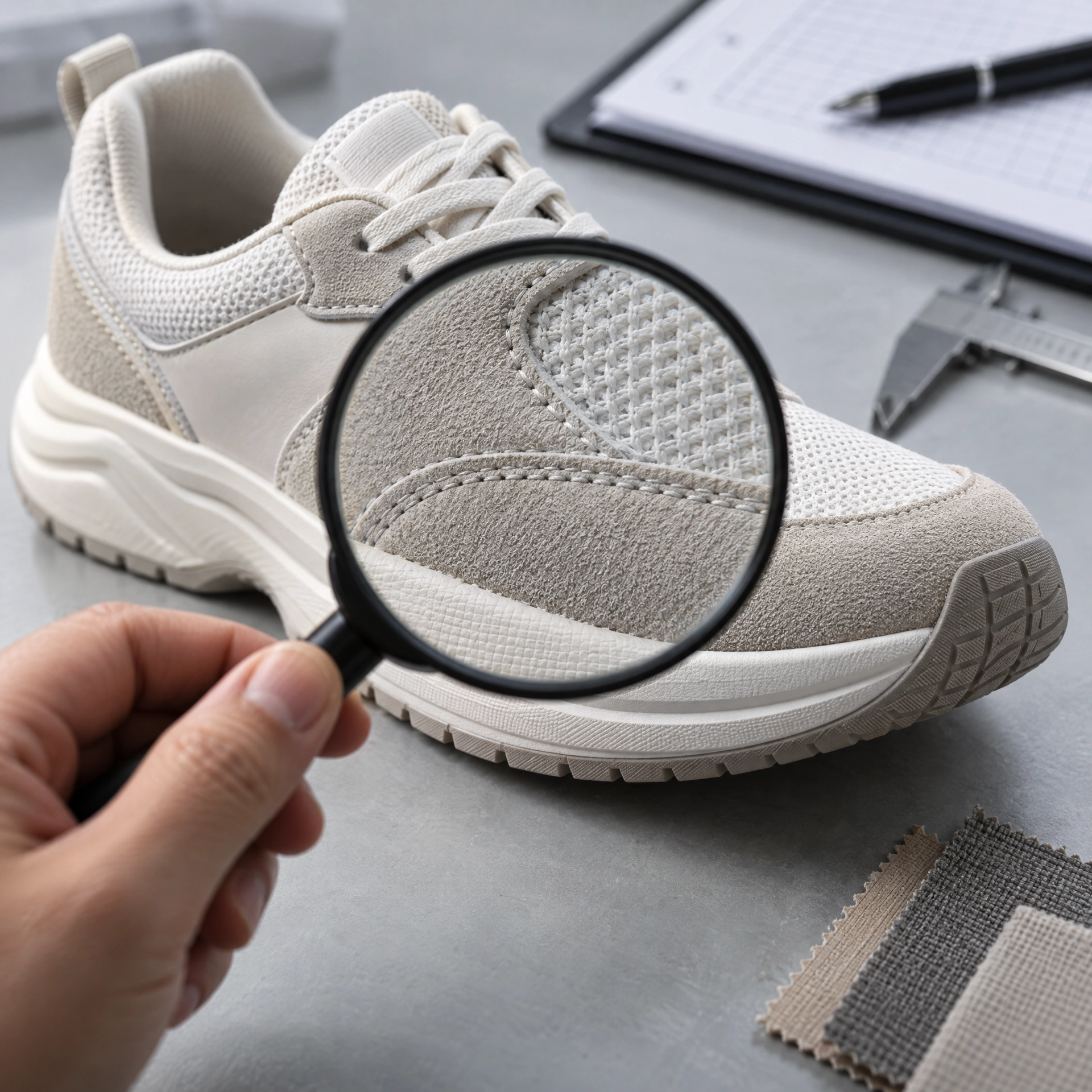
Image source: spreadsheetshipobuy.com. Illustrative product image; it is not an authentication result or quality certification.
How to Check QC Photos Step by Step
Step 1: Match the Photos to the Correct Listing
Start by confirming that the images correspond to the item you are researching. Compare the product name, selected color, model or style description, and any available listing identifiers.
Do not assume that similar-looking products share the same materials, specifications, or production details. If the photos and listing description appear inconsistent, seek clarification from the relevant third-party platform before proceeding.
Step 2: Inspect Visible Details From Multiple Angles
Look at the parts of the product that matter for its intended use. For sneakers, this might include the outsole, stitching, panel alignment, shape, and visible surface finish. For clothing, examine seams, printed graphics, collars, cuffs, and the overall cut.
- Shape and proportions: Check whether the visible silhouette matches the listing description.
- Stitching and construction: Look for obvious inconsistencies, loose threads, or uneven seams where the image resolution allows.
- Color and finish: Compare different views while accounting for lighting, screen settings, and image processing.
- Labels and details: Check whether visible elements correspond to the description, but do not treat logos or labels as proof of authenticity.
- Image coverage: Note whether important areas are missing, blurred, or difficult to evaluate.
A photograph only shows a limited view of an item. Small visual differences may be caused by lighting or camera angle, while some underlying defects may not be visible at all.
Step 3: Compare QC Photos With the Listing
Place the available QC photos beside the original listing images when possible. Compare visible design elements, colors, panel placement, pockets, graphics, and other features relevant to the product.
Record specific discrepancies rather than making broad assumptions. If a detail cannot be confirmed from the available images, treat it as unknown and ask the platform or seller for additional information where possible.
Step 4: Check Measurements Separately
QC photos are not a substitute for a size chart. A product can look suitable in a photograph but fit differently than expected because of its dimensions, cut, or sizing system.

Image source: spreadsheetshipobuy.com. Illustrative sizing guide; actual measurements and sizing information must be checked against the current listing.
For a more reliable comparison:
- Measure a similar garment that fits you comfortably.
- Record relevant dimensions, such as chest width, body length, shoulder width, sleeve length, or waist measurement.
- Compare those measurements with the listing’s size chart and measurement method.
- Check whether the seller provides actual measurements for the specific item or only general sizing information.
Allow for differences in measurement methods and manufacturing tolerances. If the available size information is incomplete, avoid assuming that your usual size will fit.
QC Photos vs. Other Listing Information
| Information | What It Helps You Review | Main Limitation |
|---|---|---|
| QC photos | Visible details and apparent inconsistencies | Cannot prove hidden condition or authenticity |
| Size chart | Listed dimensions and size options | May not describe the exact item’s measurements |
| Product description | Claimed features, materials, and specifications | Claims may require independent verification |
| Seller and platform details | Available terms, policies, and seller information | Do not guarantee a satisfactory transaction |
How to Check Price, Shipping, and Final Cost
A product’s displayed CNY price is not necessarily the total amount you will pay. The final cost may include agent service fees, domestic shipping, international shipping, packaging charges, and other applicable costs, depending on the platform.
Volumetric weight is a shipping calculation based on a parcel’s dimensions rather than only its physical weight. Depending on the carrier and service, it can affect the shipping charge. Check the platform’s actual calculation rules instead of assuming that a lightweight item will always be inexpensive to ship.
Before proceeding, review:
- The current item price and selected variation.
- Any applicable service fees and domestic shipping costs.
- Estimated parcel weight, dimensions, and international shipping charges.
- Shipping restrictions for the product, destination, or chosen route.
- Payment methods, return conditions, refund policies, and dispute procedures.

Image source: spreadsheetshipobuy.com. Illustrative shipping guide; actual shipping charges and restrictions depend on the relevant third-party service.
Important purchasing reminder
Prices, stock, sizes, batches, shipping fees, and product details can change. Always check the current listing before placing an order. The spreadsheet and its images are research references, not guarantees of availability, quality, authenticity, or seller reliability.
Where to Find Products to Review
Use Hipobuy Spreadsheet to explore relevant product categories and identify listings worth researching. Depending on the item, you may want to compare several listings before deciding whether the available photos, measurements, descriptions, and terms provide enough information.
Continue Exploring
Looking for sneakers to research? Browse the footwear category, compare the available listing details, and check for QC photos and sizing information where provided.
You can also visit the buying guides for additional shopping research information or browse the Hipobuy Spreadsheet shop to explore other categories.
Frequently Asked Questions
Do QC photos guarantee product quality?
No. QC photos provide visual information about an item, but they cannot establish every aspect of its condition, materials, durability, or performance. Use them alongside descriptions, measurements, and other available evidence.
Can QC photos confirm that a branded item is authentic?
No. A logo, label, or similar appearance in a photograph does not prove authenticity or brand authorization. If authenticity matters, seek appropriate independent verification and review the applicable platform policies.
Does every Hipobuy spreadsheet listing include QC photos?
Not necessarily. The availability and detail of QC images depend on the relevant product listing and third-party service. Check the current listing to see which images and inspection options are actually available.
Does Hipobuy Spreadsheet handle orders or refunds?
No. This website is an independent product discovery resource. Purchases are completed on third-party shopping-agent platforms after you leave this site. Product availability, pricing, shipping, payment, returns, and after-sales service are controlled by the relevant third-party platform or seller.
Final Checklist Before You Proceed
- Confirm that the photos match the intended listing and variation.
- Inspect visible details without treating photographs as proof of authenticity.
- Compare garment or footwear measurements with your own requirements.
- Review seller details, current prices, shipping estimates, and restrictions.
- Read the third-party platform’s payment, refund, and after-sales policies.
A Hipobuy spreadsheet with QC is most useful when it supports a careful comparison process rather than a quick purchase decision. Review the available evidence, identify what remains uncertain, and check the current third-party listing before proceeding.
Disclosure: Hipobuy Spreadsheet is an independent product discovery and navigation resource and is not the official Hipobuy website. Some links may be promotional or affiliate links where applicable. Any such relationship should be disclosed alongside the relevant link. Images on this page are illustrative product examples sourced from spreadsheetshipobuy.com. They do not represent a quality certification, authenticity guarantee, brand authorization, or promise of availability.